Solar Power System Manual
Prepared for: {{client_name}}
Prepared by: {{sender_name}}
Introduction
Welcome to the {{your_company}} Solar Power System Manual.
This comprehensive guide provides all the information you need to get started and make the most of your solar power system. Whether you are a new user or an experienced professional, this manual will help you understand and utilize your solar power system effectively.
Our goal is to provide you with a seamless experience and ensure you can leverage all the features and capabilities of your solar power system. This manual covers installation, setup, system components, operation, maintenance, troubleshooting, and support resources.

Getting Started
Installation
Instructions: Follow these steps to install your solar power system. If professional installation is required, please contact a certified installer.
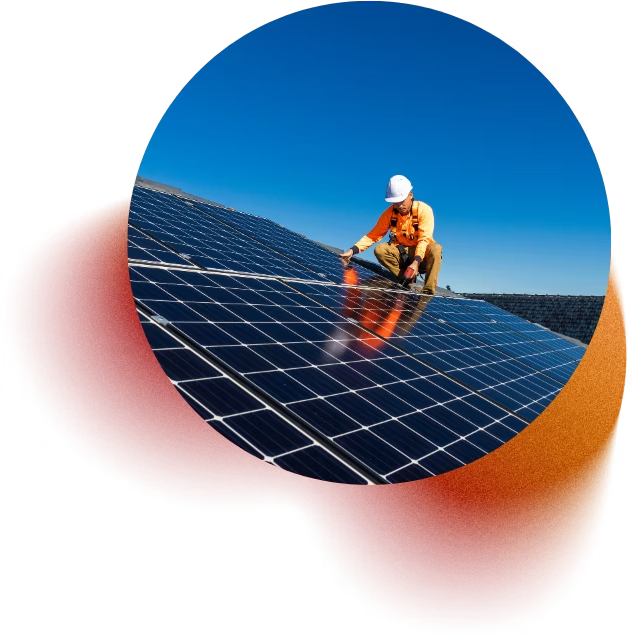
- Step 1: Choose an appropriate location for the solar panels. Ensure the area receives maximum sunlight.
- Step 2: Mount the solar panels using the provided brackets and hardware.
- Step 3: Connect the solar panels to the inverter using the provided cables.
- Step 4: Connect the inverter to your home’s electrical system following the wiring diagram included in the package.
- Safety Precautions: Always follow local regulations and safety guidelines. Wear appropriate safety gear during installation.

System Components
- Description: The solar power system includes the following components:
- Solar Panels: Convert sunlight into electricity.
- Inverter: Converts the direct current (DC) produced by the panels into alternating current (AC) for use in your home.
- Mounting Hardware: Securely attaches the panels to your roof or ground mount.
- Cabling: Connects the solar panels to the inverter and your electrical system.
- Tips: Ensure all components are present and in good condition before starting the installation.

System Operation
Starting the System

Instructions: To start your solar power system, follow these steps:
- Step 1: Ensure all connections are secure and the inverter is properly connected to your electrical system.
- Step 2: Switch on the inverter by pressing the power button.
- Step 3: Monitor the inverter display to ensure the system is operating correctly.
Tips: Check the inverter display regularly to monitor system performance.
Monitoring Performance

Description: Your solar power system includes a monitoring feature to track energy production and usage.
How to Use:
- Access the monitoring portal via your computer or smartphone app.
- Log in using the credentials provided in your setup package.
- View real-time and historical data on energy production, consumption, and savings.
Best Practices: Regularly review your system's performance to identify any potential issues early.
Maintenance
Instructions: Perform regular maintenance tasks to ensure optimal performance.
- Task 1: Clean the solar panels with a soft cloth and water every 3-6 months to remove dust and debris.
- Task 2: Inspect all connections and cables for signs of wear or damage annually.
- Task 3: Check the inverter for any error messages and ensure it is operating within the recommended parameters.
Schedule: We recommend performing these tasks at the beginning and end of each season.
- Tip 1: Avoid using abrasive materials or harsh chemicals to clean the panels.
- Tip 2: Ensure there are no shading objects (like trees or buildings) that can block sunlight from reaching the panels.
- Tip 3: Schedule a professional inspection every 2-3 years to ensure all system components are functioning optimally. A professional can identify potential issues that might not be visible to the untrained eye and recommend necessary repairs or adjustments.
Troubleshooting
Common Issues

Issue 1:
Low Power Output
Solution: Check for shading on the panels and clean them if dirty. Ensure all connections are secure.

Issue 2:
Inverter Error Messages
Solution: Refer to the inverter's user manual for specific error codes and recommended actions. Restart the inverter if necessary.

Issue 3:
System Not Powering On
Solution: Check the main power connection and ensure the inverter is properly connected. Contact support if the issue persists.
Frequently Asked Questions
Answer: Turn off the inverter using the power button, wait 30 seconds, and turn it back on. If the problem persists, consult the inverter manual.
Answer: Use the provided monitoring portal or app to track your energy production and consumption in real time.
Answer: Contact our support team at [support email/phone number] for assistance with repairs or replacements.
Answer: We recommend cleaning your panels every 3-6 months, or more frequently if you live in a dusty area.
Answer: Yes, our system is modular and can be expanded. Contact us for information on additional components and installation.
Support and Resources
Contact Support
- Details: Our support team is available to assist you with any issues. Contact us at {{support_email/phone_number}}.
- Availability: Support is available Monday to Friday, 9 AM to 5 PM.
Knowledge Base
- Details: Access a comprehensive library of articles, tutorials, and FAQs at {{knowledge_base_link}}. Use the search function to find specific topics or browse by category.
Community Forums
- Details: Join our user community at {{forum_link}} to share insights, ask questions, and learn from other users. Participate in discussions and find tips and tricks from experienced users.
Appendices
Glossary of Terms
Definitions: Key terms and definitions related to solar power systems. For example, "Inverter: A device that converts DC electricity from the solar panels into AC electricity for use in your home."
- Example 1: "Photovoltaic (PV) System: A system that converts sunlight into electricity using solar panels."
- Example 2: "Net Metering: A billing mechanism that credits solar energy system owners for the electricity they add to the grid."
Contact Information
If you need further assistance, have questions, or need to reach our support team, please use the following contact details:
Customer Support
- Phone: {{support_phone_number}}
- Email: {{support_email_address}}
- Hours: Monday to Friday, 9 AM to 5 PM
Technical Support
- Phone: {{technical_support_phone_number}}
- Email: {{technical_support_email_address}}
- Hours: 24/7 for critical issues
Social Media
- Facebook: {{facebook_page_url}}
- Twitter: {{twitter_handle}}
- LinkedIn: {{linkedIn_page_url}}
We are here to help you get the most out of your solar power system and ensure you have a positive experience with our product.
Please do not hesitate to reach out if you need any assistance.